February 19, 2026
.png)
Creating ads isn’t the hard part anymore. Improving them is.
You launch a creative, run a simulation, review the score… and then what? Most tools stop there. You’re left guessing how to fix it.
That’s exactly why we built Performance Boost.
Performance Boost takes an ad you’ve already tested and generates an improved version automatically. No starting from scratch. No guesswork. Just smarter iteration.
What is Performance Boost?
Performance Boost creates a new version of your ad by leveraging Quvy's audience data and insights. It keeps what’s working and improves what isn’t, giving you a stronger variation in seconds.
Think of it as guided optimization built directly into your workflow.
How Performance Boost Works

Using Performance Boost is simple.
Step 1 — Run a Simulation

First, run a simulation on your ad or ads.
You can start one from the Simulation Wizard or by selecting an ad in the Creative tab and clicking Run Simulation.
Once it finishes, you’ll see your ads ranked by predicted performance.
Step 2 — Choose the Ad to Improve

Review the results in the Summary, Performance or Creative Insights tabs. Pick the ad you want to boost.
Step 3 — Click Boost Performance
Under the ad, click Boost Performance. Quvy generates a new optimized variation in seconds. No manual redesign, rebriefing, or starting over from scratch.

Step 4 — Review Your Boosted Ad
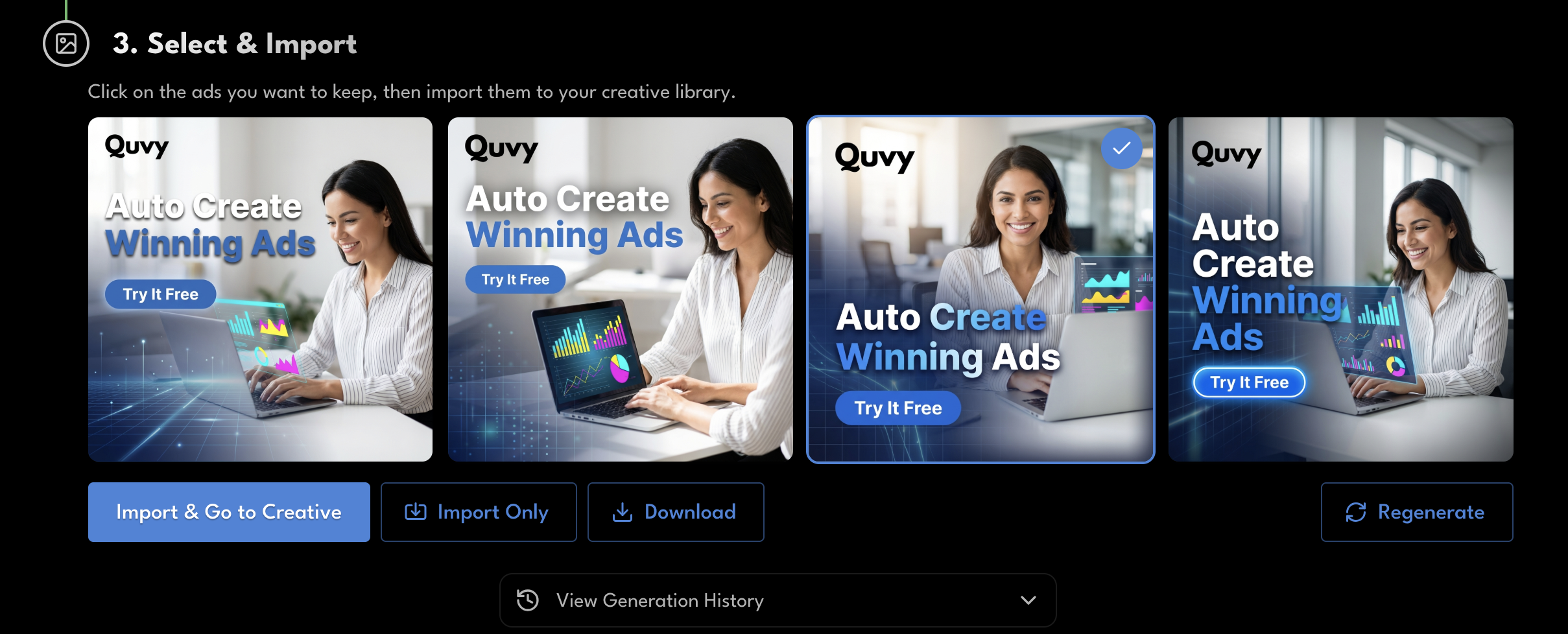
Once the boosted version is ready, you can:
- Import it to your Creative library
- Download it directly
- Save it for testing later
- Regenerate another variation
You stay in control. Performance Boost just accelerates the process.
In traditional ad workflows, you create something, launch it, spend budget, and hope it performs. If it doesn’t, you’re often left guessing what went wrong and starting over. That cycle is slow, expensive, and filled with trial and error.
Performance Boost changes that loop. Instead of hoping your next version works, you test, improve, and test again before launch. You iterate faster, waste less budget, and move closer to winning creative without risking real spend.
This isn’t just optimization. It’s a smarter way to improve your ads.
Try Performance Boost
If you’re already running simulations in Quvy, Performance Boost is available right now inside the Simulations tab.
Pick an ad. Click Boost. Watch it auto create a winning ad for you instantly.
No extra tools. No extra steps.
Learn more at www.quvy.com